PPT PRESENTER REMOTE WITH POINTER About
PPT PRESENTER REMOTE WITH POINTER
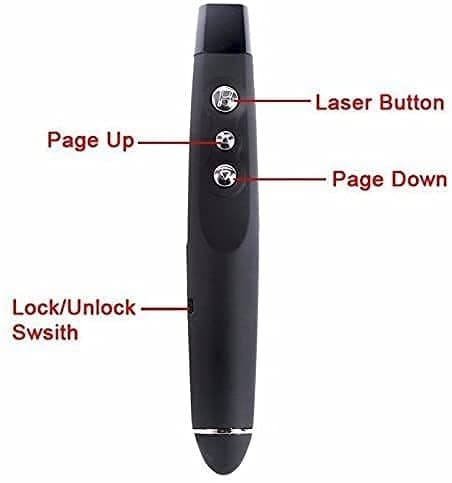
- Slideshow clicker support hyperlinks, Volume Control; It also combines more functions of page up, page down, play slides, black screen for PowerPoint presentation; Single click the multipurpose button which is labeled with a square to select hyperlink; Double-click the multipurpose button to enter hyperlink; Long press multipurpose button to switch window
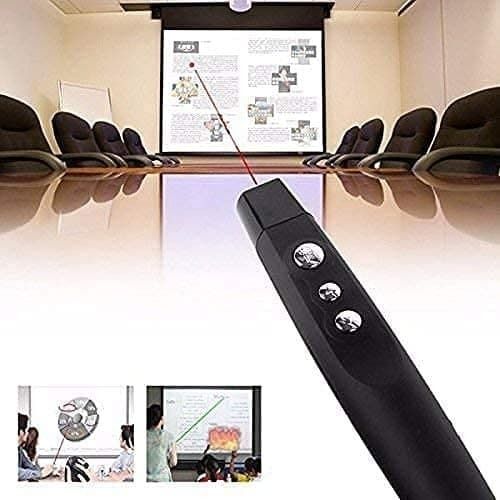
- A bright red laser pointer thats easy to see against most backgrounds; Wireless range of powerpoint presenter up to 98 foot, free to move around the room; It comes with a clip that allows you to slide it in your pocket securely
- Wireless presentation pointer supports MS Word, Excel, PowerPoint, ACD See, website, iWork (Keynote & Numbers & Pages) Google Slides
- Presenter support options: Windows 2003, XP, Windows Vista, Windows7, Windows 8, Windows 10, Mac OS (For MacBook on OS X, plug the usb receiver into laptop, it will come out a box, and then you can select 101or104 option), Linux, Android
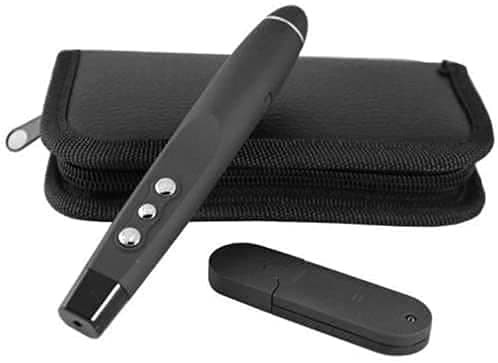
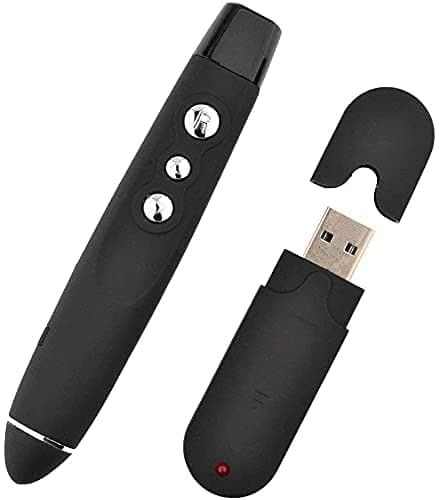
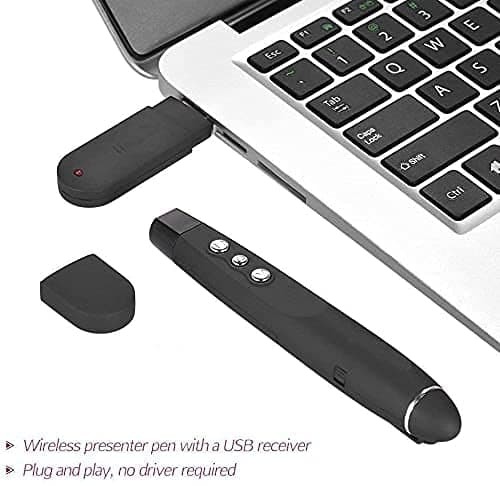
- Slide advancer has low power indicate; One-piece design, built-in docking bay in wireless transmitter tail to store USB receiver for easy pack up and portability, USB stays secured into place with a magnet system
Effortless Presentations AnywhereDeliver engaging presentations from up to 15 meters away. The PPT Presenter Remote offers wireless control, allowing you to move freely around the room while still managing your slides and highlighting key points with the built-in red laser pointer. Its universal support for PowerPoint, Keynote, and PDF viewers ensures seamless integration into any workflow, whether for business, education, or conferences.
Ergonomic and Intelligent DesignCrafted from high-quality ABS plastic, this remote fits comfortably in your hand and features strategically placed control buttons for intuitive navigation. The integrated LED status indicator lets you keep track of battery status, while the built-in USB receiver slot ensures easy storage and portability, making it ideal for presenters on the move.
FAQs of PPT PRESENTER REMOTE WITH POINTER:
Q: How do I set up the PPT Presenter Remote with Pointer for my presentation?
A: Simply insert the included USB Type-A receiver into your computer. The remote is plug-and-play, requiring no additional drivers or software. Once connected, you can start using it immediately with your preferred presentation software.
Q: What types of software are supported by this presentation remote?
A: This remote is compatible with PowerPoint, Keynote, and PDF viewers, making it versatile for various types of presentations and different operating systems.
Q: What is the maximum wireless range of this remote, and where is it suitable to use?
A: The remote offers a wireless range of up to 15 meters. This makes it ideal for classrooms, meeting rooms, auditoriums, or any medium to large venue where free movement is necessary.
Q: How can I benefit from the integrated laser pointer and control buttons?
A: The red laser pointer helps to highlight important content on your slides, while the ergonomically arranged control buttons allow you to move slides forward or backward, pause, black out the screen, or control volume without having to return to your computer.
Q: What is included with the product and how is it powered?
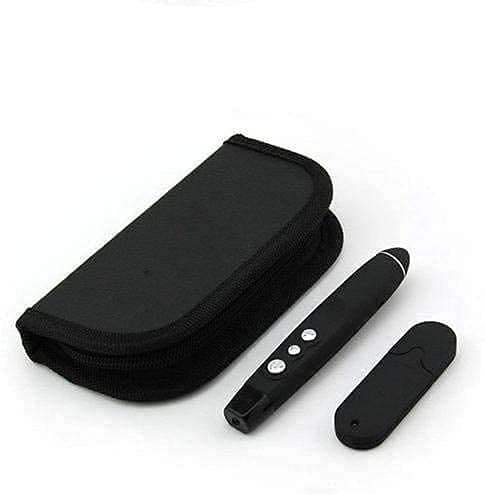
A: The package includes the PPT Presenter Remote, a USB receiver dongle (plug-and-play), a user manual, and a replaceable AAA battery for power. The integrated LED indicator alerts you about the battery status.
Q: Is the remote portable, and what makes it durable?
A: Weighing approximately 30g (without battery) and measuring about 14 x 2.5 x 1.8 cm, the slim design and lightweight build ensure easy portability. The body is made from high-quality ABS plastic for added durability.






 Send Inquiry



 Send Inquiry
 Send Inquiry
 Send SMS